

How Retailers Use Competitor Price Scraping to Track Online Prices
Customers often compare the same product across several online stores before they buy. For a retailer, that makes competitor prices a useful reference point when reviewing its own listings. Checking those prices by hand across many products and websites quickly becomes slow and hard to keep consistent.
Competitor price scraping collects the prices displayed on selected competitor websites and organizes them into a structured dataset. This article explains what such a dataset can contain, how the collection process works, how a one-time price snapshot differs from repeated price monitoring, and what to watch for when comparing prices across stores.
All product names and prices in this article are illustrative examples. They are not WorthWebScraping client data.
What Is Competitor Price Scraping?
Competitor price scraping is the collection of publicly displayed product prices from selected competitor websites, delivered as structured data. Instead of opening product pages one by one, the prices and related details are gathered into rows and columns that can be sorted, filtered and compared in a spreadsheet, database or other system.
What can be collected depends on what each website displays and on what the project requires. Fields that are commonly requested include:
- Product name and brand
- Product page URL and competitor website
- Current price, and the original (list) price where one is shown
- Sale price, discount amount or discount percentage, where displayed
- Currency
- Availability status, where displayed
- Product variant, such as size, color or model, where displayed
- Collection date and time
A source can only provide what it shows. If a website does not display a field, it cannot be collected.
For example, a retailer selling wireless headphones may want to see the listed price of the same model at several competing stores. The table below shows how a small comparison dataset could look.
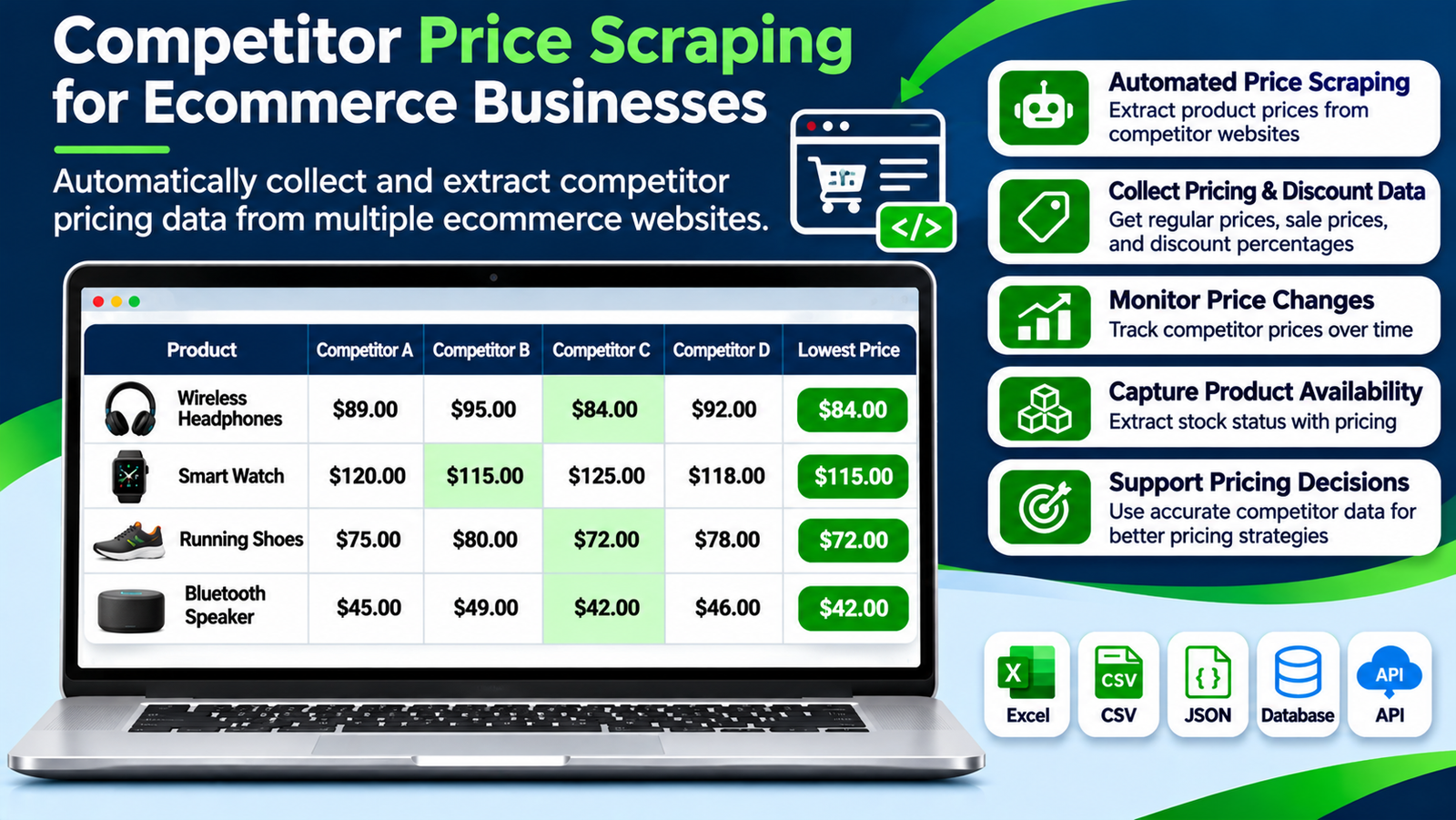
| Product | Competitor A | Competitor B | Competitor C | Competitor D | Lowest listed price |
|---|---|---|---|---|---|
| Wireless Headphones | $89.00 | $95.00 | $84.00 | $92.00 | $84.00 |
| Smart Watch | $120.00 | $115.00 | $125.00 | $118.00 | $115.00 |
| Running Shoes | $75.00 | $80.00 | $72.00 | $78.00 | $72.00 |
| Bluetooth Speaker | $45.00 | $49.00 | $42.00 | $46.00 | $42.00 |
Price Snapshot vs. Price Monitoring
The terms “price scraping” and “price monitoring” are often used as if they meant the same thing, but they describe different requirements.
| Price snapshot | Price monitoring | |
|---|---|---|
| What it provides | The prices selected sources display at the time of collection | Selected prices collected repeatedly, each collection kept with its collection date |
| Question it answers | What are these sources displaying now? | How have these prices changed between collections? |
| Collection | Once, or refreshed when a new snapshot is requested | Recurring, on a schedule defined for the project |
| Result | A dated dataset used as a current reference | A price history built from successive collections |
A snapshot describes one moment only. Prices can change after collection, so a snapshot should always be read together with its collection date. If the question is about change over time, the same prices need to be collected again and again.
Our Price Scraping service covers point-in-time price collection. For recurring collection and price history, see our Price Monitoring Services.
How Retailers Use Competitor Price Data
Competitor price data is one input to pricing decisions. It does not replace them. Common uses include the following.
Comparing prices across stores
The same product can be listed at different prices on different websites. A structured dataset puts the listed prices side by side, so a retailer can see where its own price sits among selected competitors.
Reviewing discounts and promotions
Where a website displays an original price, a sale price, a discount percentage or a promotion label, each can be stored in its own field. Keeping regular and sale prices separate makes discounts much easier to analyze.
Following price changes over time
A retailer might collect the displayed price of selected products every few days and keep each result. Over time, the dataset can show which products change price often and when discounts appear. This depends on repeated collection, as described in the section above.
| Product | Previous price | Latest price | Change |
|---|---|---|---|
| Wireless Headphones | $89 | $84 | -$5 |
| Smart Watch | $120 | $125 | +$5 |
| Running Shoes | $75 | $72 | -$3 |
Understanding competitor assortments
When product names, brands, categories and variants are collected together with prices, the dataset also shows which products competitors list and how similar products are presented.
Reviewing your own prices
Competitor prices help flag products that may need a closer look. Pricing decisions should also take into account product costs, margins, demand, shipping charges and business goals, not competitor prices alone.
How the Collection Process Works
The steps are broadly the same whether the project is a one-time snapshot or a recurring collection.
Step 1: Choose the source websites
Decide which online stores you want prices from. These might be competing retailers, brand-owned stores, marketplaces or niche retail sites. A list of category pages or product pages keeps the project focused on comparable products.
Step 2: Define the products and fields
List the products or categories and the fields you need, for example product name, URL, current price, original price, availability and collection date. Defining the fields first keeps the dataset consistent across sources.
Step 3: Review how each source is built
Websites present product information differently. Prices may appear on listing pages, on product pages, or only after a variant is selected, and some content loads dynamically. The collection method has to suit each source, and what can be collected is confirmed source by source.
Step 4: Collect the data
The defined fields are collected from the selected pages and gathered into structured records. For recurring projects, the same collection is repeated on the schedule agreed for the project.
Step 5: Review the collected data
Where needed, duplicate records, inconsistent price formats and missing values are reviewed before delivery. Keeping the original currency and the collection date with each record makes later comparison easier.
Step 6: Deliver the dataset
The data can be delivered in formats such as CSV, Excel or JSON, to a database, or through an API, depending on the project requirements and how the data will be used.
Manual Price Checking vs. Automated Collection
Manual checking can be enough for a handful of products. As the number of products, websites or collection rounds grows, automated collection becomes the more practical option.
| Manual checking | Automated collection | |
|---|---|---|
| Method | Open and record each page by hand | Collect defined fields from selected pages |
| Larger catalogs | Slow and repetitive | Suited to larger collection projects |
| Recurring checks | Repeated manual work each time | Can run on a schedule defined for the project |
| Output | Entered manually into a sheet | Structured dataset with fields defined in advance |
Common Challenges When Comparing Competitor Prices
Different website layouts
Every store shows names, prices, discounts and availability in its own way, so each source needs its own collection approach.
Prices that depend on context
The displayed price can depend on the selected variant, the visitor’s location or a running promotion. The project should record which price is being collected.
Matching equivalent products
The same product can carry different titles on different websites. Where a source displays identifiers such as brand, model number or SKU, they can be collected as fields to support matching. Matching is a separate step: the rules should be defined and the results checked before prices are compared.
Variants
Size, color and configuration can change the price. Compare prices only when the variants are equivalent.
Currencies
When stores sell in different currencies, keep the original currency and apply one consistent conversion method for comparisons.
Website changes
Websites change their layouts and data structures. Recurring collection may need adjusting when a source changes.
Data quality
Missing fields, duplicate listings and inconsistent product names can distort a comparison, so the collected data should be reviewed before it is used.
Practical Tips for a Reliable Price Dataset
- Select comparable competitors: focus on websites that sell similar products.
- Define the fields first: decide which product and price details you need before collection starts.
- Record the collection date: a price is only meaningful alongside the time it was collected.
- Store regular and sale prices separately: do not merge original and discounted prices into one field.
- Check variants: avoid comparing different sizes, colors or configurations.
- Keep the original currency: apply consistent conversion rules when you need a common currency.
- Review before you compare: look for duplicates, missing values and inconsistent records.
- Choose a suitable schedule: for recurring projects, set a collection frequency that fits the use case and the sources.
Who Uses Competitor Price Data?
- Online retailers: compare their listed prices with selected competitors.
- Manufacturers and brands: see how their products are priced across online retail channels.
- Marketplace sellers: review prices and promotions on comparable listings.
- Price comparison websites: organize product prices from several stores into one dataset.
- Market research teams: study pricing patterns across product categories.
- Ecommerce agencies: support client reporting and market analysis.
Price Data Within Broader Web Data Collection
WorthWebScraping collects publicly available web data for many kinds of projects. Ecommerce price collection is one of those use cases. A price project is defined around the source websites, the price fields you need, the products or categories involved, the point in time the collection should reflect, and the delivery format you prefer. Which fields are available depends on what each source displays.
If you need current prices from selected sources, start with Price Scraping. If you need to follow how those prices change, see Price Monitoring Services.
Frequently Asked Questions
What is competitor price scraping?
It is the collection of publicly displayed product prices from selected competitor websites, organized into a structured dataset for comparison and research.
What price information can be collected?
Depending on the source and the project, this can include product names, brands, current and original prices, sale prices, discount percentages, currencies, product URLs, variants and availability. Only what a website displays can be collected.
Can prices be collected from several websites?
Yes, from the websites selected for the project. Each source is reviewed separately because layouts and displayed fields differ.
Can discounts and promotions be collected?
Where a website displays original prices, sale prices, discount percentages or promotion labels, these can be included as separate fields.
Can product availability be collected with prices?
Where a website displays stock or availability information, it can be collected alongside the price. Exact stock quantities are only available if the source shows them.
What is the difference between a price snapshot and price monitoring?
A snapshot captures the prices displayed at one point in time. Monitoring collects the same prices repeatedly, keeping each collection with its date, so that changes can be reviewed.
How are the same products identified across websites?
Fields such as brand, model number or SKU can be collected where a source displays them, which supports matching. The matching rules should be defined and the results checked before prices are compared.
In what formats can the data be delivered?
Formats such as CSV, Excel and JSON, delivery to a database, or API access, depending on the project requirements.
Conclusion
Competitor price scraping gives retailers an organized view of the prices, discounts and availability that selected online stores display. It is most useful when the dataset is clearly defined: comparable sources, a fixed set of fields, a recorded collection date, and equivalent products and variants. A single snapshot shows one moment, and repeated monitoring shows how prices move. Either way, competitor prices are one input among several for pricing decisions.
Need price data from selected websites? Tell us which websites and products you have in mind, which price fields matter, whether you need a one-time snapshot or recurring collection, and how you want the data delivered. We can review the requirements and suggest an approach.